
Web & Mobile
Smart Global Weather App designed and built using AI-assisted development with interactice background.
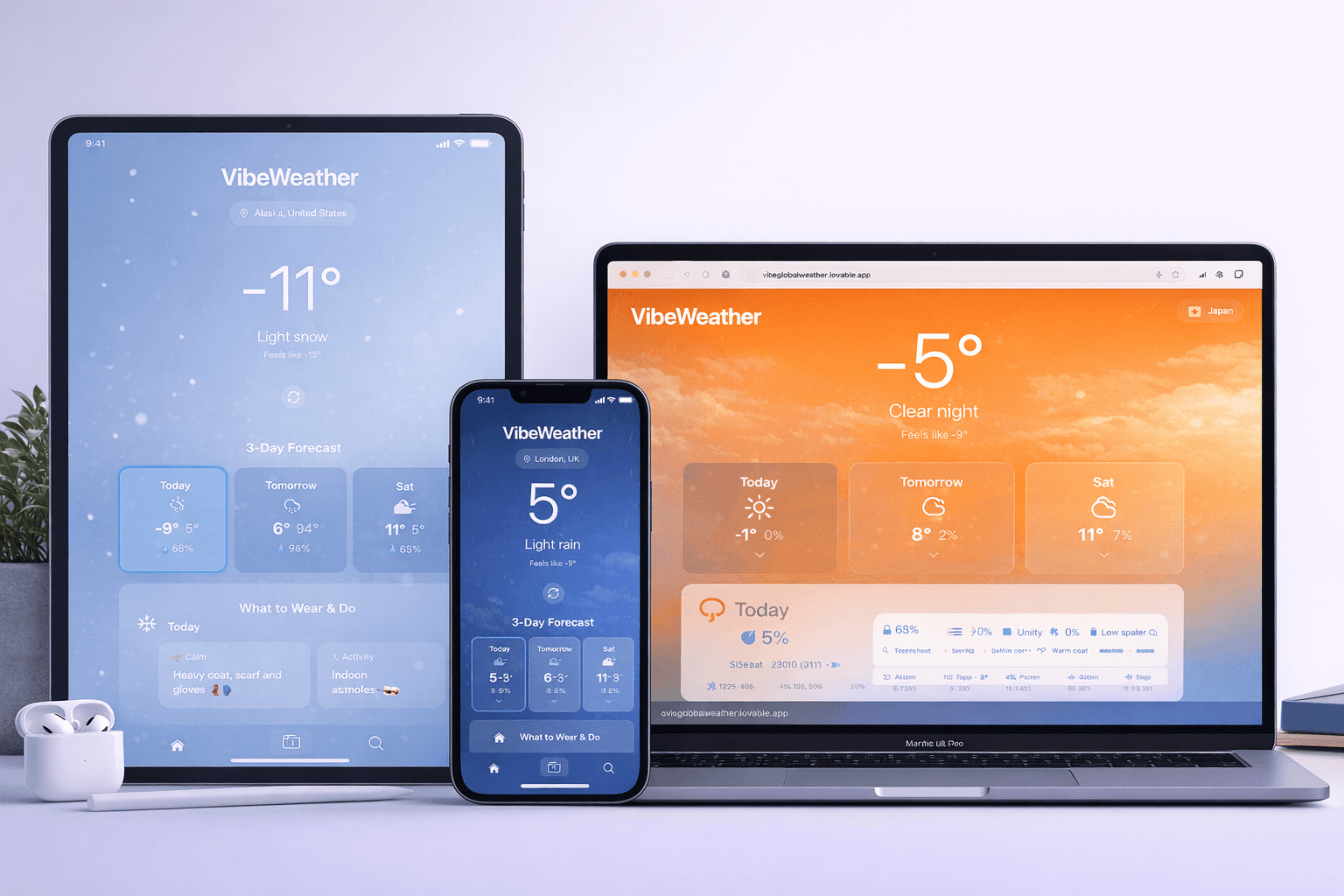
End-to-end Weather App designed and implemented using AI-assisted development to rapidly test and validate user experience concepts.
The link to the App: https://vibeglobalweather.lovable.app/
Timeline
From explorations to final designs in 5 weeks while working with multiple projects at the same time
Background
This project explored how a simplified, user-first weather application could deliver essential information at a glance while maintaining a visually engaging experience. Using AI-assisted development to accelerate prototyping, the goal was to design and build a clean, responsive interface that prioritises clarity, hierarchy, and usability.
The focus was on reducing cognitive load, improving information structure, and creating a modern weather experience that feels intuitive, fast, and purposeful.
I started by identifying a common issue in existing weather apps: information overload. Many apps prioritise data density over clarity, making it difficult for users to quickly understand current conditions.
Research & Planning
Before building, I defined the minimum viable feature set:
Current temperature and conditions
Hourly forecast
3–5 day forecast
Location detection
Clean visual feedback for weather states
This helped prevent feature creep and kept the experience focused.
Design & Prototyping
I sketched low-fidelity layouts to:
Establish visual hierarchy
Define content grouping
Reduce cognitive load
Ensure thumb-friendly interaction zones
The goal was a “glanceable” interface where users immediately see the most important information.
Implementation
I used Lovable to translate the design into a functional prototype, accelerating the development process while maintaining control over structure and layout decisions.
This allowed me to:
Quickly test real-time weather data integration
Validate layout responsiveness
Iterate on UI refinements in real context
Experiment with interaction states
Using AI-assisted development reduced build time and enabled faster iteration cycles.
Testing & Optimization
I tested the prototype informally with users to assess:
Speed of comprehension
Navigation clarity
Visual comfort
Accessibility contrast
Feedback led to adjustments in button sizing, spacing, and forecast card hierarchy.
The solution was to design a fast, glanceable weather experience that prioritises clarity over complexity. Instead of overwhelming users with excessive data, the interface focuses on delivering the most important information immediately.
At-a-Glance Information Hierarchy
The current temperature and weather condition are positioned as the primary focal point, supported by a clean visual hierarchy. Secondary information such as hourly and multi-day forecasts is organised into structured, scannable cards to reduce cognitive load.
Simplified Forecast Structure
Rather than displaying dense data tables, the hourly and daily forecasts are presented in digestible, visually balanced sections. This allows users to quickly understand weather changes without needing to interpret complex graphs or excessive text.
AI-Assisted Rapid Iteration
By building the prototype in Lovable, I was able to rapidly test layout variations, validate responsiveness, and refine the UI in a live environment. This enabled faster iteration cycles while maintaining strong UX structure and design control.
The result is a lightweight, intuitive weather application that demonstrates how AI-assisted workflows can support rapid product development without compromising UX structure or design principles.
Increased Efficiency
Users report significant time savings and improved productivity through optimized scheduling recommendations.
Positive User Feedback
High user satisfaction ratings and positive reviews highlight the app's intuitive interface and powerful AI capabilities.
Growing User Base
The app quickly gained traction among individuals and businesses worldwide, with a steady increase in user adoption and engagement.